macOS-First Product Development with Swift & SwiftUI
By Shohei Komatsu (shokoma) · February 2026
Why Build for macOS?
Most productivity tools today are web-first, often wrapped in Electron for a “desktop” version. That works well for many products, but it comes with trade-offs: higher memory usage, limited offline support, and an experience that never quite feels native. For tools where you spend hours at a time — like a requirements/diagram workspace — going native makes a measurable difference in responsiveness and reliability.
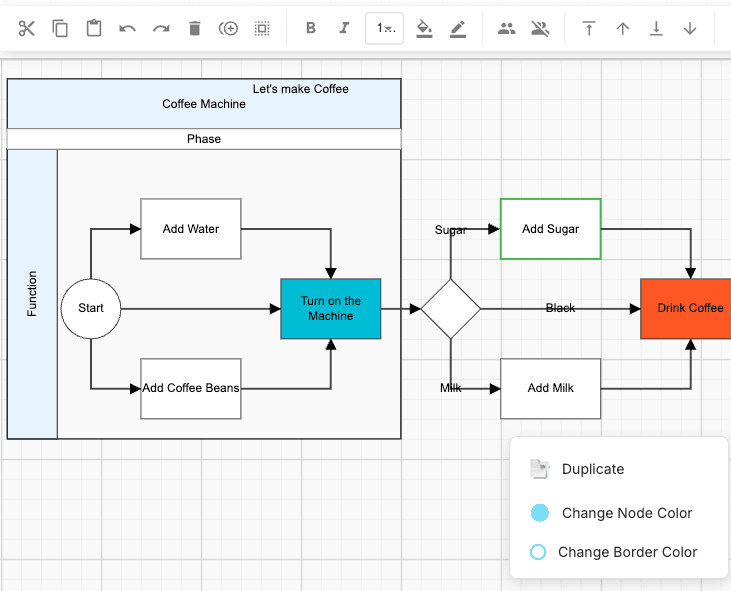
With Draw Plus, I chose macOS-native development because the primary users are engineers who value offline access, fast canvas rendering, and deep OS integration (drag-and-drop, file system, Spotlight search).
Architecture Overview
The application follows a document-based architecture where each project file is a self-contained Core Data store. This has several advantages:
- Offline by default — The entire project lives on disk. No server dependency for core operations.
- File-system friendly — Projects can be copied, backed up, and versioned with standard tools.
- Incremental sync — CloudKit syncs only changed records, keeping bandwidth minimal even for large projects.
SwiftUI for Complex UIs
SwiftUI is excellent for declarative layout, but building a multi-pane workspace with drag-and-drop, canvas rendering, and complex selection states pushes it to its limits. Key patterns that helped:
- NavigationSplitView — Three-column layout with a sidebar (project tree), detail list, and main canvas. SwiftUI's built-in split view handles resizing and collapse behavior natively.
- Environment-based state — Using
@EnvironmentObjectand@Observablefor shared state across panes, with careful identity management to avoid unnecessary redraws. - Canvas via NSViewRepresentable — For diagram rendering, wrapping a custom NSView gives full control over hit testing, zooming, and rendering performance where SwiftUI's Canvas view falls short.
Core Data + CloudKit Sync
Core Data handles the local persistence layer, and CloudKit provides transparent sync to iCloud. The key design decisions:
- Lightweight migrations — Schema changes are planned to be additive-only where possible, keeping migrations automatic. Destructive changes require manual migration helpers.
- Conflict resolution — CloudKit uses last-writer-wins by default. For collaborative scenarios, the app detects conflicts at the record level and presents a merge UI when automatic resolution isn't safe.
- Lazy loading — Large diagram data (SVG snapshots, images) is stored as external binary data in Core Data, loaded on demand to keep the main store responsive.
Native vs. Electron vs. Web: Trade-offs
| macOS Native | Electron | Web App | |
|---|---|---|---|
| Performance | Excellent | Good | Variable |
| Offline | Full | Partial | Service Worker |
| Memory | ~80–150 MB | ~300–600 MB | Tab-dependent |
| Cross-platform | macOS only | Win/Mac/Linux | Any browser |
| Development cost | High (platform-specific) | Medium | Low–Medium |
Takeaways
- Going native is worth it when offline access, performance, and OS integration are core product requirements — not just nice-to-haves.
- Document-based architecture (one Core Data store per project file) simplifies both offline support and CloudKit sync.
- SwiftUI is production-ready for complex desktop apps, but you'll still need NSViewRepresentable escape hatches for custom canvas and rendering-heavy views.
- Plan your Core Data schema for additive-only migrations from the start. Destructive schema changes become expensive quickly once users have data in iCloud.
Explore Further
Last updated: February 2026