
How I Build AI-Enabled Learning Apps
By Shohei Komatsu (shokoma) · February 2026
Why AI + Education?
Studying is one of those activities where the feedback loop is painfully slow. You read, you highlight, you hope you remember. Combining spaced repetition with AI changes the equation: reviews arrive right before you forget, and new questions can be generated from material you already have — giving learners more active recall practice with less effort.
That idea is the foundation of Learn Addic. This article walks through the design decisions behind it and the lessons I learned along the way.
Learn Addic: Offline-First Study Companion
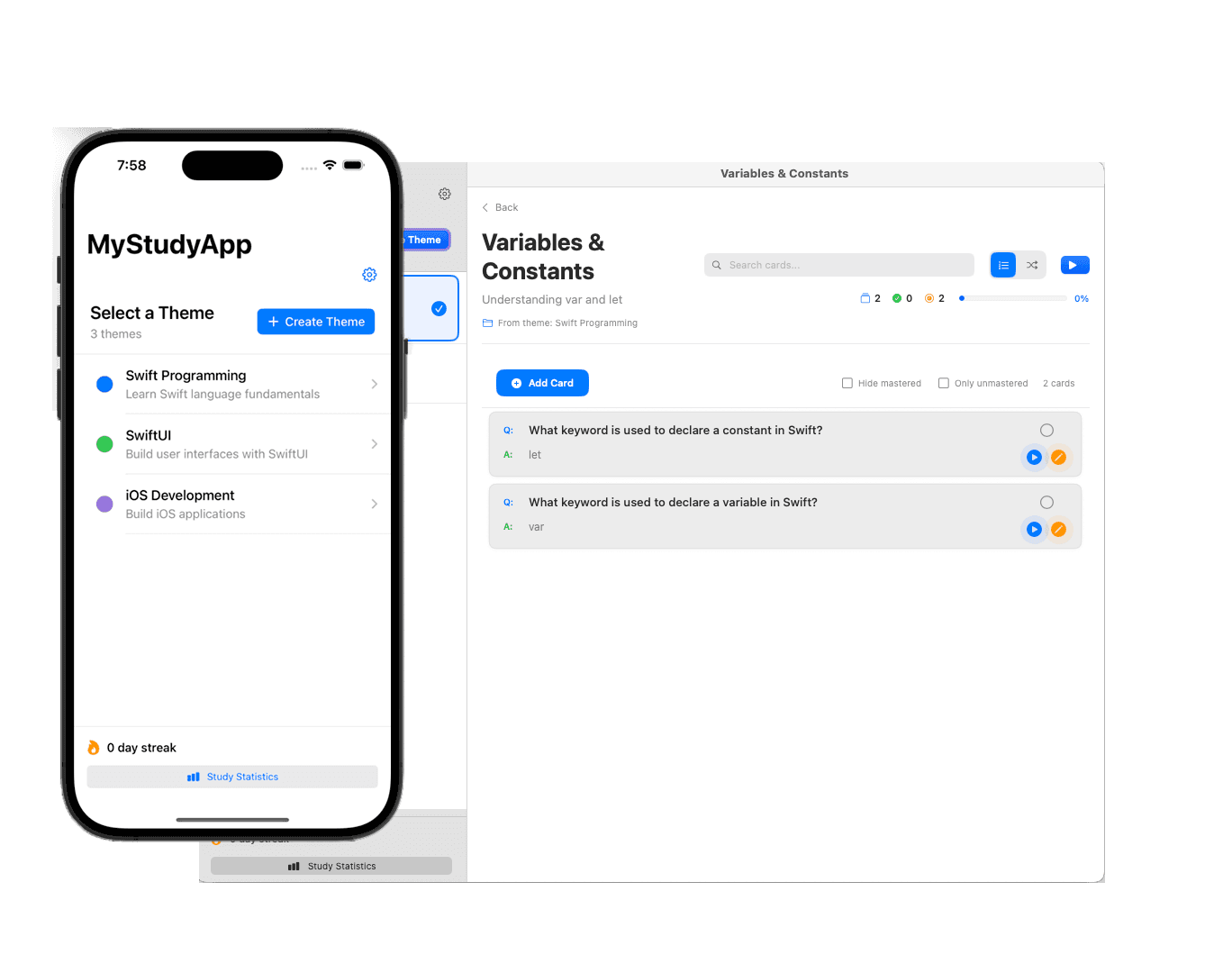
Learn Addic is a native iOS/macOS app built with Swift and SwiftUI, focused on organizing study material with iCloud sync so you can study on any Apple device, online or offline.
Core Data handles local persistence, CloudKit handles sync, and the app uses spaced-repetition scheduling to surface cards when your memory is about to fade. The emphasis is on a fast, fluid native experience rather than a web-first approach.
AI-Generated Similar Questions
Learn Addic can automatically generate similar questions from your existing cards. Drilling the same card over and over tends to train you to memorize the answer rather than the concept, which hides real gaps in understanding. Presenting the same idea from a different angle exposes those gaps fast.
AI is used to extend the material learners write themselves, not to replace it — the cards you create stay at the center of the study loop.
Key Design Decisions
| Learn Addic | |
|---|---|
| Platform | iOS & macOS |
| Offline | Full offline support |
| Review scheduling | Spaced repetition |
| AI role | Similar questions from existing cards |
| Sync | iCloud / CloudKit |
| Update cycle | App Store review |
Takeaways
- Native apps still win for daily-use study tools where offline access, speed, and device integration (notifications, widgets) matter.
- Spaced repetition lets the app decide when to review, so learners can focus on what to learn.
- AI works best when it extends the learner's own material rather than replacing it — starting from existing cards keeps generated questions on-topic.
Explore Further
Last updated: October 2026